Canntina
MacCann-style Duet Concertina for the iPhone and iPod Touch

by Michael Eskin

Canntina Icon

Canntina is now available on the iTunes App Store


Canntina is a high-quality, easy-to-play, MacCann-style duet concertina with Treble and Baritone ranges.

The button layout matches the center portion of the right side of a MacCann-style duet concertina, providing a Treble range from G4 to F#6 and a Baritone range from G3 to F#5.

To play, simply press the buttons.

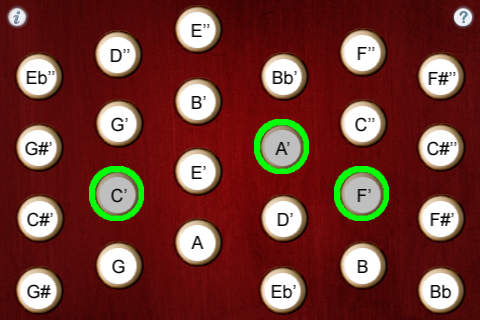
Multiple buttons may be pressed at the same time to play chords.

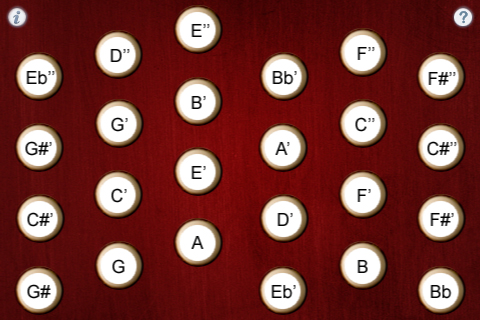
Learning mode (touch the '?' icon) shows the note names for each button.

Touch the 'i' icon to bring up the settings page.

Uses extremely high-quality audio samples recorded from a high-end concertina.


Canntina main screen :
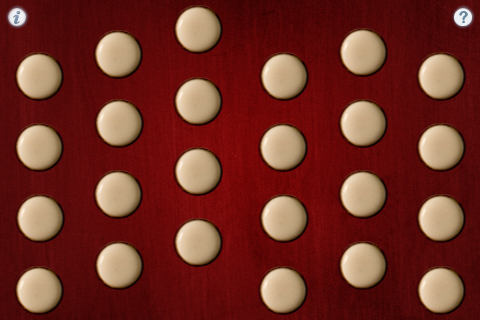
Canntina Main Screen


Note guide (touch the '?' icon) shows the notes for each button:

Canntina Learning Mode


Multiple buttons may be pressed at the same time for chords:

Canntina Chord


Settings Page (touch the 'i' icon)

Canntina Settings Screen


FAQ:

Q: I'm not hearing any sounds on my iPhone! Help!

A: Make sure your ringer switch isn't in the "mute" position.

Q: Can you recommend a good book on learning to play the MacCann-style duet concertina?

A: Robert Gaskins Book on MacCann Duet Concertina Chords is one of the best online resources I've ever found on the instrument.

Q: Where can I learn more about how to play the instrument?

A: Please visit the following sites for more information and online learning materials:

Concertina.net

Concertina.com

Q: Now that I've learned the fingerings for some tunes on the iPhone/iPod Touch app, I'd like to buy a real concertina. Who do you recommend?

A: The Button Box carries a wide range of new and vintage instruments.

Q: What's the purpose of the "Release" slider on the settings page?

A: The sound APIs I use for the apps don't have a way to do a clean sound stop without some possibility of popping. When playing through the speakers on the device, this generally isn't a problem actually contributes to the sound realism, but I found it to be distracting when playing through headphones. This control allows you to set a delay time at the end of the sound to avoid the pops.

If you are using headphones and want to reduce the clicks, I suggest trying setting it as high as possible, then slowly lower it until the pops stop. The value is saved when you quit the app. Setting it to the max value disable the anti-pop feature.


Future Plans:

I am very interested in any suggestions for features or improvements to the apps for future updates, please drop me an email anytime with your ideas!


More Apps to Enjoy:

Tradlessons iOS Apps Catalog


Contact:

For more information, please contact Michael Eskin or visit the Tradlessons.com website:

Visit Tradlessons.com


Apple, iPhone, iPod Touch and the Apple logo are registered trademarks of Apple Inc. in the USA and other countries.