Englitina
English Concertina for iOS and Android
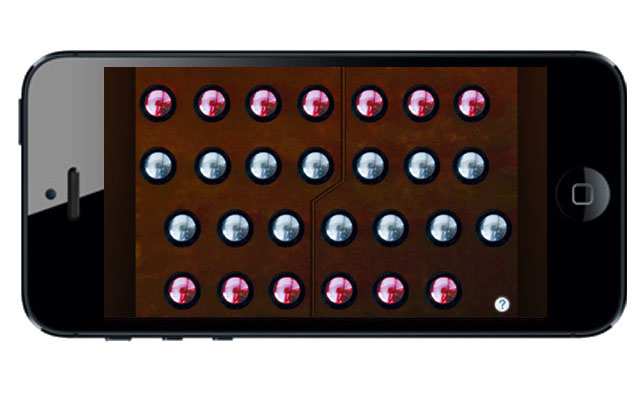

Englitina is a very high quality, easy-to-play Treble English Concertina for the iPhone and iPod Touch.
The button layout exactly matches the center portion of a standard Wheatstone treble Engish Concertina layout, providing all chromatic notes in the two octave range between D4 and C#6.
To play, simply press the buttons.
The buttons on the left side of the dividing line are on the left side of a real instrument, buttons on the right side of the dividing line are on the right side of a real instrument.
Multiple buttons (up to 5) may be pressed at the same time to play chords.
Note guide (touch the '?' icon) shows the note names for each button.
Uses extremely high-quality audio samples recorded from a high-end concertina.
On the iOS version, you may transpose the pitch up or down up to one octave in semitone increments from the settings page (touch the "i").
My good friend and expert English Concertina player John O'Hara demonstrates "Englitina"
For this demo, I loaned John an iPhone with the app for the weekend.
Button layout compared to a real English Concertina
Englitina Main screen showing division line between left and right hands
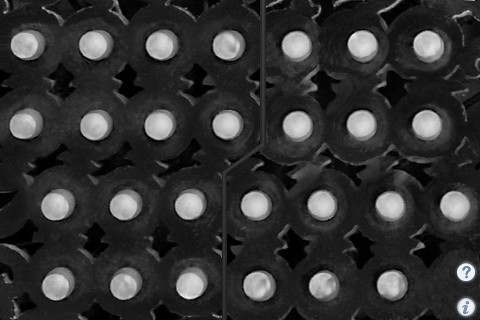
Multiple buttons (up to 5) may be pressed at the same time for chords
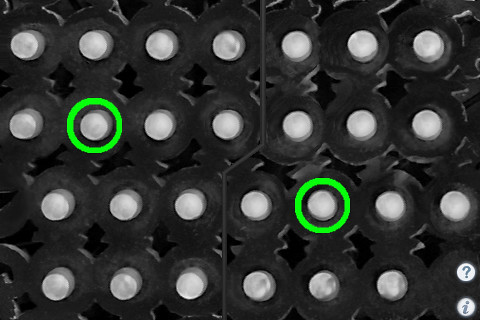
Note guide (touch the '?' icon) shows the note names for each button
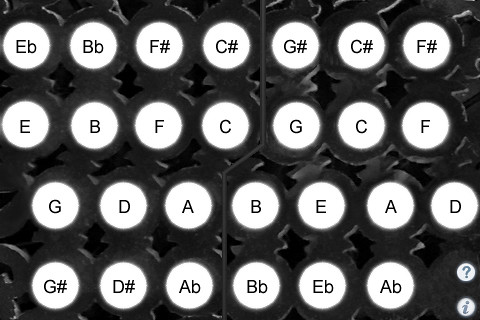
How to play "The Kesh Jig"
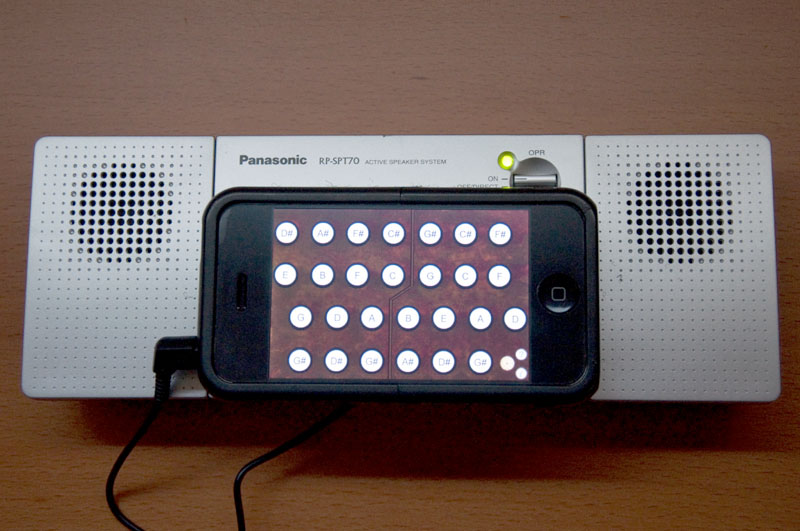
Portable speaker setup using Velcro to attach the iPhone/iPod Touch
"As someone who used to play English concertina, I can testify that this is a fun app. It was easy to play tunes on it. Highly recommended for anyone who wants to understand how that system works and try it out before investing a lot of money."
"I've played English Concertina for many years. I downloaded this today and playing tunes on it right away. It's an excellent simulation. If you've thought about taking up English concertina, this app will give you a good idea of how it works for a tiny fraction of the usual cost. If you already play one, get this app so you can practice at odd moments, in privace (over headphones) if you wish."
Q: Are the fingerings the same as a real English Concertina?
A: Yes! The button layout exactly matches the center portion of a standard Wheatstone treble Engish Concertina layout, providing all chromatic notes in the two octave range between D4 and C#6.
Q: How should I hold the iPhone/iPod Touch and what fingers do I use to play?
A: Hold the device horizontally, grip each end with your thumb and little finger. The buttons are played primarily with the index and middle fingers.
Scales alternate between the left and right sides of the instrument.
Q: Where can I learn more about how to play the instrument?
A: Please visit the following sites for more information and online learning materials:
Q: Now that I've learned the fingerings for some tunes on the iPhone/iPod Touch app, I'd like to buy a real concertina. Who do you recommend?
A: The Button Box carries a wide range of new and vintage instruments.
I am very interested in any suggestions for features or improvements to the apps for future updates, please drop me an email anytime with your ideas!
For more information, please contact Michael Eskin or visit the AppCordions.com website:
registered in the U.S. and other countries. App Store is a service mark of Apple Inc.