Englitina
48-Button English Treble Concertina
for the iPad and Android Tablets
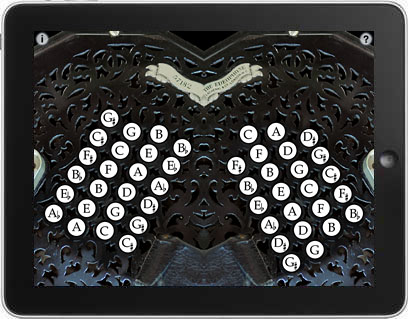


Englitina is an authentic-sounding English Treble Concertina for the iPad and Android Tablets.
The button layout is identical to a standard 48-button acoustic instrument.
Englitina is the perfect app for someone interested in the English Concertina to have an experience of playing the instrument and become familiar with the button layout without the expense of purchasing a real concertina.
For experienced players, it can serve as a practice aid when it might be impractical to play the real instrument.
If you currently play the English Concertina, you will quickly be playing tunes on the app.
If you want to learn to play the English Concertina, and don't yet have an acoustic instrument, the fingerings and skills you learn playing the app will transfer directly over to the real instrument.
To get started, make sure that the orientation lock switch on your iPad (just above the volume controls on the side) is in the off position, then rotate the iPad to landscape orientation to play.
To play, place your tablet on your lap and press the buttons.
Scale patterns on an English Concertina alternate between buttons on the left and right sides.
Multiple buttons may be pressed at the same time to play chords.
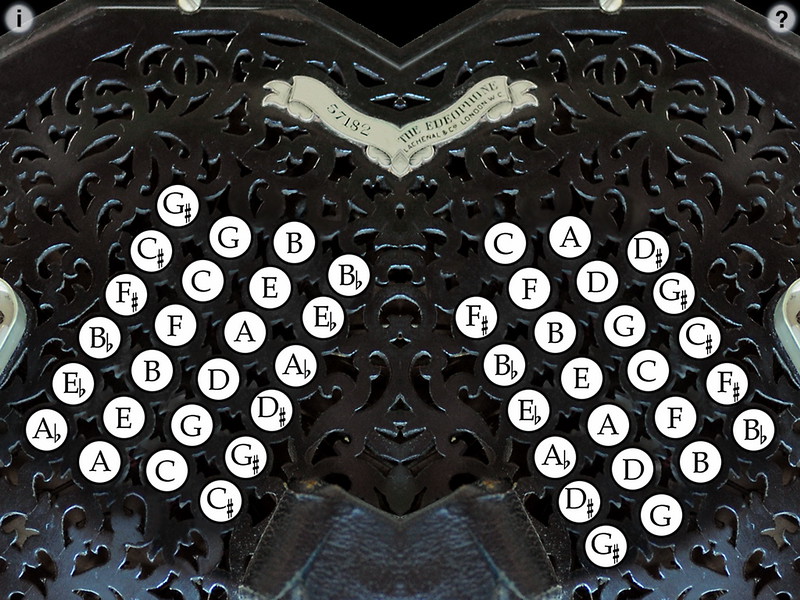
Touch the '?' in the upper right corner to show/hide the note names.
On both the iPhone and iPad versions you may transpose the pitch up or down up to one octave in semitone increments (touch the 'i' to bring up the controls).
Touch the number to the right of the transpose slide to reset the transpose to zero.
All settings are saved when the app exits.
Touch the area between the buttons for tremolo effects. The higher up in the area, the greater the effect.
Uses extremely high-quality per-button audio samples recorded from my personal concertina collection.
Button layout compared to the real instrument
Demonstration video
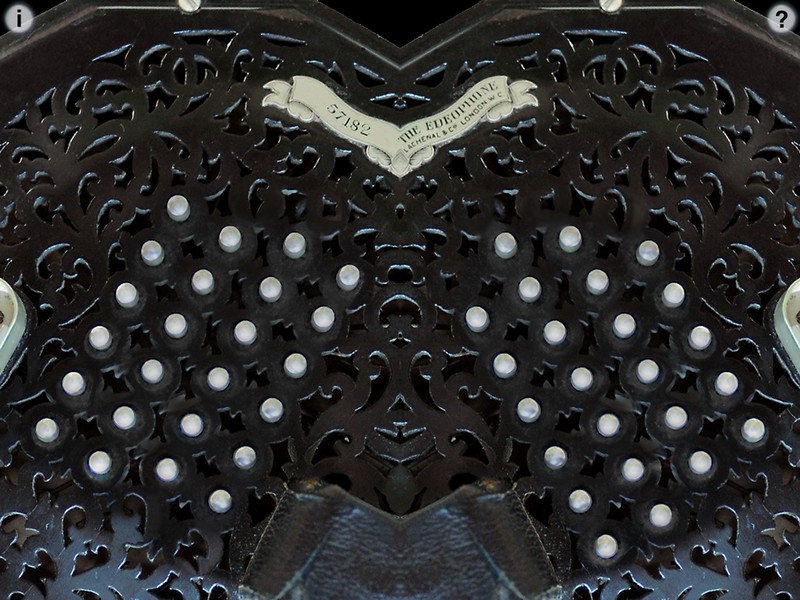
Main screen
Note guide (touch the '?' on the upper right)
Q: The sound stops when I put 4 fingers on the screen.
A: You must disable "Multitasking Gestures" in the iPad Settings to use many of my iPad apps.
Apple stops the sound and their gestures take over the iPad once three fingers are on the screen, so you need to disable them.
Q: I'm not hearing any sound, help!
A: Make sure that the mute switch on your device is turned off.
You can select between orientation lock or mute for the switch on the device. If you've set the iPad for orientation lock on the switch, then the mute is on the far left side of the task bar, double click the home button and then slide the task bar all the way to the left.
Q: Are the fingerings the same as a real English Concertina?
A: Yes, exactly the same. About the only thing you can't do is press two buttons with one finger because of the limits of the iPad's touchscreen hardware.
Q: Where can I learn more about how to play the instrument?
A: Please visit the following sites for more information and online learning materials:
Q: Now that I've learned the fingerings for some tunes on the iPad app, I'd like to buy a real concertina. Who do you recommend?
A: The Button Box carries a wide range of new and vintage instruments.
For more information, please contact Michael Eskin or visit the AppCordions.com website:
registered in the U.S. and other countries. App Store is a service mark of Apple Inc.