The Hohner Melodeon
Revolutionary new musical instruments for iOS and Android



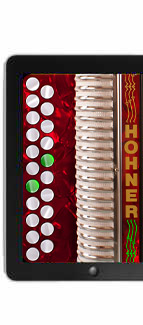
Hohner-B/C

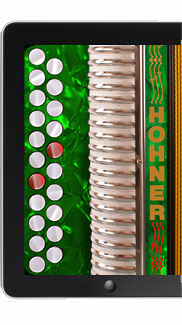
Hohner-C#/D
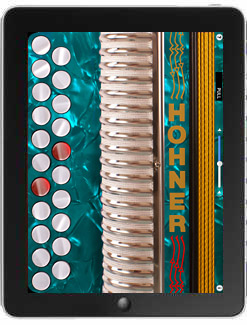
Hohner-C/F
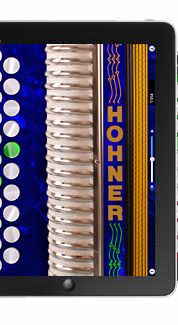
Hohner-D/G
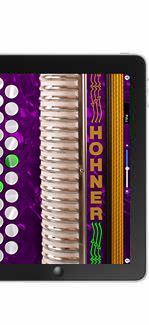
Hohner-G/C
Hohner Melodeon Pro for iOS

Virtual button accordion apps for iOS and Android, all featuring the familiar
keyboard layout of Hohner's iconic Corona Erica Double-Ray diatonic button accordion
For iOS the B/C, C#/D and D/G tunings are all in one app, and now includes a B/C 2 1/2 row version!
Authentic
Plays and sounds like the traditional instrument.
Super responsive, two-row fingerboard.
Educational
Practice chord combinations, scales, and songs on-the-go in five different key combinations and colors.
Just learning? Show the note names on the large white pearloid buttons.
Awesome
Play any time through the iPad's speaker.
Use headphones for private practice. Great for travel, roommates, or at lunch!
Run the audio through your computer's speakers, a guitar amp, or your band's sound board.

How to Play the Hohner Melodeon
It's a Button Accordion - You Push and Pull it.
Just like the real thing, the Hohner Melodeon is bisonoric. That means it plays different notes when you push or pull the bellows.
Touch the anywhere on the bellows or grill for PUSH notes.
Lift your finger for PULL notes.
The PUSH/PULL indicator shows the current bellows direction.
Basic Basics
Touch the buttons with your right hand to play.
Buttons light up when touched.
Press multiple buttons at the same time to play chords.
Touch the ‘?’ icon to show / hide the note names.
Notice that the note names change with the bellows direction.
Play along with music in your iTunes collection.
Help!
Touch the 'i' icon to bring up the Help screen.
Touch anywhere in the Help screen to go back to playing.
Touch the links at the bottom of the Help screen to visit the Hohner and AppCordions websites.
All your settings are saved when you exit the app.

More Great Music Apps
Whether you are an experienced traditional musician, or are just learning to play, the virtual instruments from AppCordions are perfect for practice and performance.
Entertain your friends with Traditional Irish Jigs and Reels, Scottish Marches, Cajun, Zydeco, Tex-Mex, Cojunto, Norteño, Columbian folk music, and more!
More virtual musical instruments for the iPhone/iPod Touch/iPad:
Support
I make every effort to respond to support requests as quickly as possible. Please be patient - we have day jobs. Thanks!
Email: seisiuneer@gmail.com
Friend & Follow
 - Visit Hohner on Facebook
 - Follow AppCordions on Twitter
Pocket Tunes!
Handy 17-Button Melodeons
for the iPhone & iPod Touch
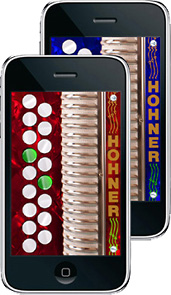
Hohner-Mini in B/C and D/G
New Hohner MIDI Melodeon
Play hardware or software MIDI synthesizers right on your iPad!
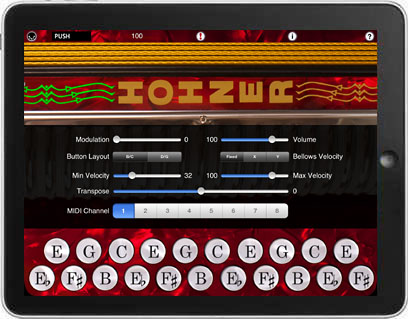
Click Here for Info and Demo Videos
Demonstration Videos
New Version 3.0 of Hohner-B/C
and Hohner-D/G Mini Melodeon for iPhone
The two demo videos below show the sound of the new 3.0 update of the B/C and C#/D iPad Apps
The ThumbJam "Vintage Accordion" patch sounds and reverb features shown in the video are
now in the standalone versions of these two apps
"The Utpick Waltz"
"Reel Beatrice"
Copyright ©2017 AppCordions.com
Apple, the Apple logo, iPad, iPhone, and iPod touch are trademarks of Apple Inc.,
registered in the U.S. and other countries. App Store is a service mark of Apple Inc.