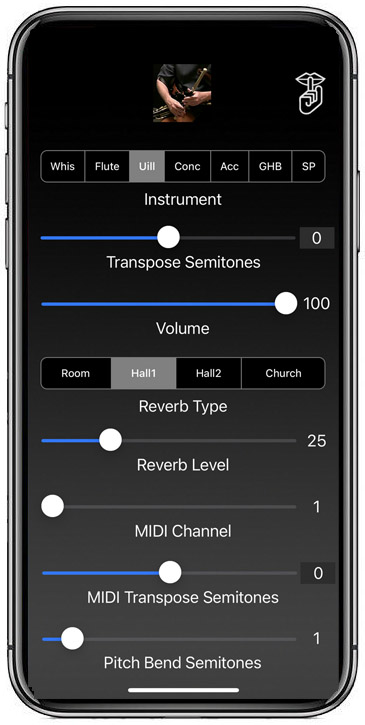
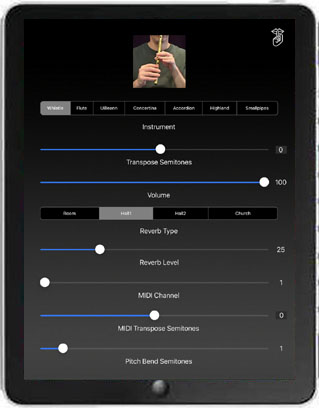
Uilleann Classic now available on the iTunes App Store
Uilleann-B Classic now available on the iTunes App Store
Uilleann Classic and Uilleann-B Classic are authentic sounding sets of Irish bagpipes that are played like the real instrument.
The chanter fingerings are based on those used for the Uilleann pipes and will also be immediately familiar to Irish pennywhistle and flute players, who can use the fingerings they already know just by keeping the right little finger down.
The Uilleann pipes are a bellows driven set of bagpipes with a two octave range. They are most commonly used for playing traditional Irish dance music and slow airs. In recent years they have been made popular by shows such as Riverdance, as well as many motion picture soundtracks such as "Waking Ned Devine", "Titanic", and "Braveheart".
This app emulates the three drones and chanter of a half set of "concert" pitch Uilleann pipes in the key of D. Uilleann-B is the same, but is pitched in B, three half-steps lower than a concert pitch set.
You may choose between Kirk Lynch or Crowley-style drone sounds.
To play the chanter, place your fingers over the holes on the two halves of the chanter. The left side represents the "top" hand, the right side is the "bottom" hand.
Touch the 'i' icon at the upper right corner of the main screen to show/hide the live performance controls. All settings are saved and restored the next time the app is run.
Optional pitch bending is done by sliding the finger up or down very slightly on the root tone hole for the note or simply tilting the finger as one would do on the actual instrument to half-hole a note.
Touch the drone puck to start/stop the drones.
Touch the green bar on the left side with your left little finger to play the notes one octave higher.
Touch the blue bar at the bottom left center with your left thumb to play the second octave "Back-D" selectable on either a press or release.
Touch the red bar at the bottom right center with your right thumb to stop the chanter sound for staccato techniques.
Touch the purple bar on the lower right with your right little finger to bend the pitch or play finger vibrato. You may also perform finger vibrato on the chanter for most notes with the right middle and/or ring fingers.
Rotate the iPad to Portrait orientation to see the fingering chart. Rotate back to Landscape orientation to play.
On the fingering chart, you may touch the blue Back-D bar image to toggle between whether the bar on the main screen plays the second-octave D note on a touch (default) or release (matches real Uilleann pipes chanter).
Also on the fingering chart, you may toggle between "Loose" and "Strict" closed chanter modes by touching the red bar. "Loose" closed chanter mode (default) stops the sound whenever the red bar is pressed on the main screen. "Strict" mode only stops the sound when the red bar is pressed and all the holes are covered and matches the real Uilleann chanter. This mode is used for staccato piping techniques. When in "Strict" mode sample attacks are faster when single holes are uncovered.
Play along with tunes in your iPad's music library by starting a track using the iPad iPod app, then launching Uilleann Classic. Adjust the chanter and drone volume using the real-time performance controls.
For students of the Uilleann pipes, the app supports nearly all of the alternate fingerings for most notes and can be used as a real practice chanter for the instrument. All 128 possible fingerings have been mapped as closely as possible to match the real instrument.
Sound is based on high quality per-note chanter and drone recordings from my personal concert pitch set of Uilleann pipes.
Chanter image based on my Kirk Lynch concert pitch chanter. Drone puck image courtesy of Mike DeSmidt. Crowley drone sample courtesy of Vinnie Kilduff.
"The Rocks of Bawn" played on Uilleann-B Classic
"The Humours of Ballyloughlin" played on Uilleann-B Classic
While I was waiting in my car for my wife Linda, I spent the time practicing with the iPad plugged into the car stereo.
The video was shot on my iPhone 3GS stuck in the sun visor, cropped from the original file to show just the iPad.
"The Trip We Took Over the Mountain" played on Uilleann Classic in the key of D
Same tune played on Uilleann-B Classic in the key of B
Next, the same tune, played on my real set of Uilleann pipes in D
This is the actual instrument that the samples for the concert pitch version were recorded from.
Main screen (drones on, chanter fingering an F#)
Shows all the side controls and chanter hole touch highlights:
Green Bar = Octave Up
Blue Bar = Back D
Red Bar = Closed Chanter
Purple Bar = Pitch Bend
Touch the "i" to bring up the realtime performance controls
Rotate the iPad to portrait orientation to see the fingering chart
Toggle the back-D between playing on touch (default) or release by touching the blue bar.
Toggle the closed chanter mode between "Loose" (default) and "Strict" by touching the red bar.
From the 2010 Southern California Uilleann Pipers Club Tionol
Kevin Carr on the vPipes, I'm on my Uilleann app in a virtual piping showdown
Photo by Fel Bautista
FAQ:
Q: I seem to be stuck at the fingering chart and can't get to the playing screen!
A: Check that the orientation lock switch on your iPad (just above the volume controls on the side) is in the off position, then rotate the iPad to landscape orientation to play.
Q: I have an iPad with iOS5 and the sound stops when I put my fingers on the screen. Help!
A: Go into the iPad Settings app, and disable the "Multitasking Gestures" feature. This feature creates issues for all apps like mine that use more than 3 fingers on the screen at a time.
Q: Are the fingerings the same as a real Uilleann pipes chanter?
A: Almost exactly. Since the real instrument uses increased bag pressure to jump the octave, I've had to come up with a simple way to accomplish the same thing on the touch screen:
While the fingering chart shows the most simple fingerings, most alternate fingerings will do what you expect.
In the app, touch the highlighted bar on the left side to indicate an octave jump.
Back-D is played by touching the highlighted bar at the left bottom center with the left thumb. On the fingering chart, you may touch the blue bar to toggle between whether the Back-D bar on the main screen plays the second-octave D note on a touch or release.
Also on the fingering chart, you may toggle between "Loose" and "Strict" closed chanter modes by touching the red bar with the right thumb. "Loose" closed chanter mode stops the sound whenever the red bar is pressed on the main screen. "Strict" mode only stops the sound when the red bar is pressed and all the holes are covered. This mode is used for staccato piping techniques. When in "Strict" mode sample attacks are faster when single holes are uncovered.
Q: Is there some way I can do finger vibrato on the second octave Back-D?
A: Yes, there are two ways. In "Plays on Touch" Back-D mode, you can touch the back-D button on the bottom left center, then lift your right hand and do vibrato with your middle finger. The other way, in the newest version that has note bending, is to bend the C or C# up to D and then use the middle finger of your right hand for finger vibrato.
Q: Please explain about the live performance controls.
A: Touch the 'i' icon at the upper right corner of the main screen to show/hide the live performance controls.
The controls available are:
Chanter Volume
Drone Volume
Drone Chorus Effect On/Off
Vibrato depth
Note Bend Null Zone width
All settings are saved and restored the next time the app is run.
Q: How is per-note pitch bending done?
A: First make sure that pitch bending is enabled by bringing up the performance controls and making sure that it is enabled. Pitch bending is done by sliding the finger up or down very slightly on the root tone hole for the note or simply tilting the finger as one would do on the actual instrument to half-hole a note. The width of the "Null" zone where no pitch bend will occur may be adjusted with the performance controls.
Q: In your demo videos, how do you do the "clean stop" of the sound without extra notes?
A: In the videos, I'm playing in the "Loose" bottom D mode, so the red bar at the bottom center right stops the sound.
To do the clean stop:
1) Touch and hold the red bar bottom D bar with the right thumb to stop the chanter sound
2) Touch the drone puck to stop the drones
3) Lift the rest of the fingers off the chanter
4) Release the red bar.
Q: What's the most reliable way to play to avoid any random notes or false triggering?
A: The iPad touch screen is most reliable and accurate with small touch areas rather than large surfaces in contact with the screen.
Since the Bagpipes apps really push the limits of the multi-touch capabilities of the device, it is best to use the tips of the fingers wherever possible rather than squashing the flats of the fingers down on the screen.
Q: Can I play along with the music in my iPad's music library?
A: Yes, you can play along with tunes in your iPad's music library by starting a track using the iPad iPod app, then launching Uilleann Classic. While the music is playing you can double click the home button to bring up the iPod music controls.
Q: Where can I learn more about how to play the instrument?
A: Patrick D'Arcy's website is the definitive starting point for all things having to do with the Uilleann pipes:
Patrick D'Arcy's Uilleann Obsession
Future Plans:
I am very interested in any suggestions for features or improvements to the apps for future updates, please drop me an email anytime with your ideas!
More Apps to Enjoy:
For more information, please contact Michael Eskin or visit the Tradlessons.com website: